AI Fashion Video for eCommerce: Motion from a Product Photo
Published byEmma Campbell/November 5, 2026
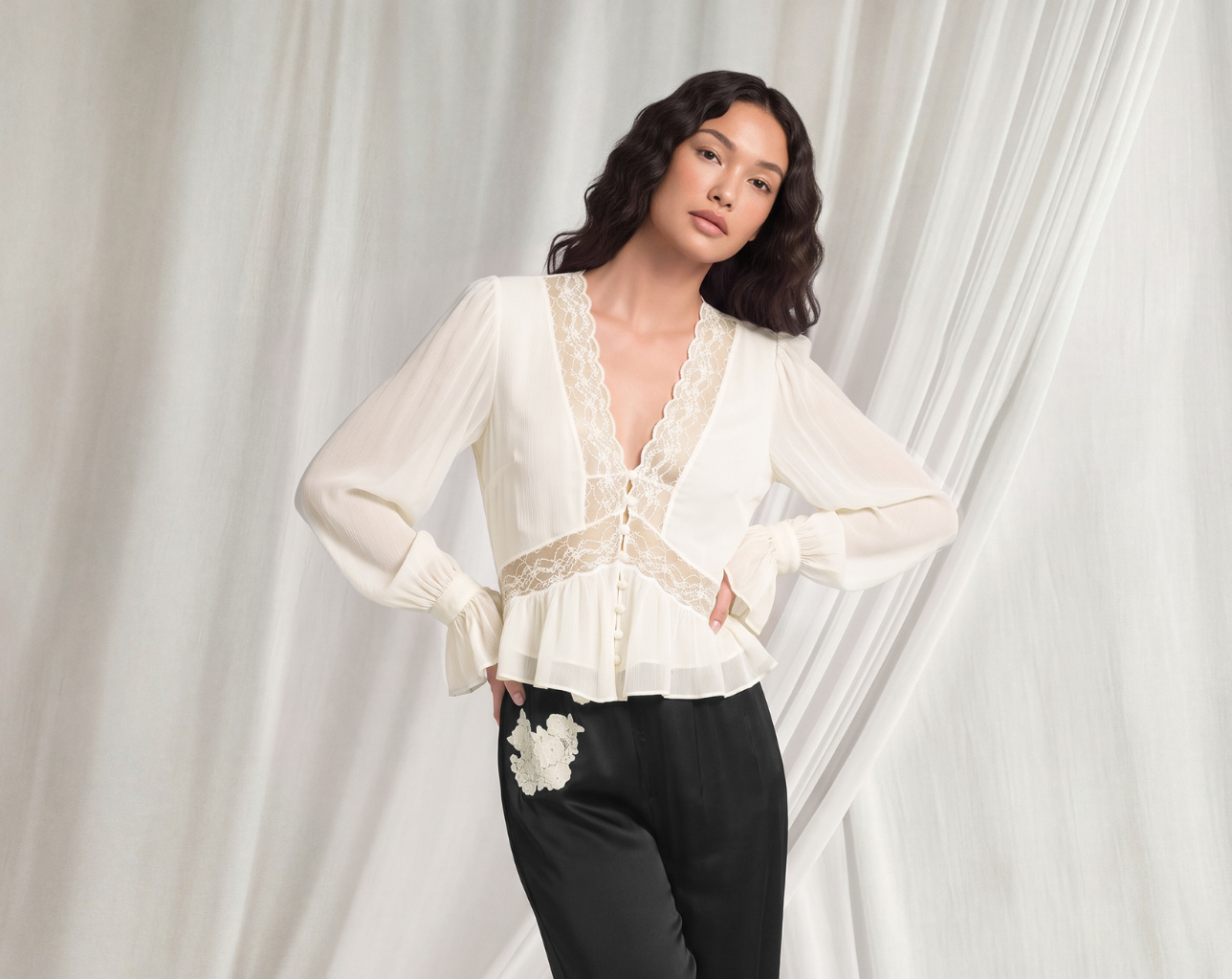


An AI fashion video is a short, on-model product video generated from still images a brand already has, with no camera, studio or video crew involved. A ghost mannequin or flat lay photo becomes on-model imagery, and that imagery becomes a few seconds of motion showing how the garment moves, fits and falls. The result can run on product pages, category grids, ads and social.
Video has long been the best way to show a garment online, and the hardest to scale. Most fashion retailers reserve it for a handful of hero products because every clip needs its own shoot. Generating motion from a product photo removes that constraint. Video stops being a budget decision per SKU and becomes something the whole assortment can have.
Here is how it works, where it pays off, and what to check before it goes live.
AI fashion video is motion content created by software from existing product imagery, rather than filmed on set. For e-commerce, that usually means a short loop of a model turning, walking or shifting weight, so shoppers can see the garment from several angles and in movement.
It answers the questions a still image leaves open: how a skirt swings, how a knit drapes, whether a jacket holds its shape when the arms move. Those are the questions that decide whether a shopper buys, and whether they keep what they bought.
It is not a campaign film. The goal is commercial clarity at catalog scale: consistent, accurate motion for every product, in the brand’s own look.
A product photo becomes video in a few easy steps:
Because the video is built from the same images that already sit on the product page, image and motion stay consistent: same model, same styling, same light. That consistency is hard to achieve when stills and video come from separate shoots.
Traditional video wins on creative range; AI fashion video wins on coverage, speed and consistency. For product pages, coverage usually matters more.
| Traditional video shoot | AI fashion video | |
|---|---|---|
| Input | Physical samples, models, crew, studio | Existing product or on-model images |
| Coverage | Hero products only, in most budgets | Any SKU with on-model imagery |
| Time to site | Weeks, from booking to edit | Days, alongside the stills |
| Cost per extra SKU | Rises with every item | Low, no new shoot needed |
| Consistency | Varies by shoot, studio and season | Matches the product images it is built from |
| Updates | A reshoot | A new render from updated images |
| Best for | Campaign films, brand storytelling | PDP, category grids, paid and social at scale |
The two can work side by side. Many brands keep filmed video for campaigns and use AI video to bring motion to the rest of the catalog, including the long tail that never got video before.
The product detail page is where AI fashion video earns its keep, but it is not the only place.
Product detail pages. Shoppers on a PDP are close to a decision. Motion answers the fit and fabric questions that hold them back. At Holt Renfrew, adding AI video to product pages lifted conversion by around 30%. Read the Holt Renfrew story.
Category and list views. Some retailers play video directly in the product grid, so items move as shoppers scroll. It lifts the whole browsing experience, not only the page a shopper clicks into.
Paid media and social. Motion stops the scroll better than a still. Generating video from existing images makes it practical to test more variations without booking more shoots.
AI-driven discovery. Search engines and AI assistants favor pages that hold attention and answer questions clearly. Video increases time on page and interaction, which strengthens a product’s chances of being surfaced. We cover this in depth in Why AI Video Is Powering GEO.
A video that looks good is not the same as a video that is accurate. Motion can expose errors a still image hides, so the same review standard applies.
This is why the source images matter. A video built on accurate, quality-checked on-model images starts from the right garment. More on why that check still needs a human eye in Why AI-Generated Fashion Imagery Still Needs a Human Eye.
Looklet’s AI video works from the on-model images teams already create in the platform, so there is no separate production line to set up.
Every output is built on images that have already passed Looklet’s quality control, so the garment in motion is the garment in the box. With over 7 million assets produced for retailers like Holt Renfrew, Stockmann and The Very Group, the workflow is built for daily, high-volume production.
Can you make a fashion video from a single product photo? Yes, in two steps. The product photo is first turned into on-model images using ghost to model AI, and those images are then animated into video. Front and back product shots give the best result.
Does AI fashion video replace video shoots? Not entirely. It replaces the need to film every SKU. Most brands keep filmed video for campaigns and use AI video to cover the rest of the catalog.
Where should fashion brands use AI product video first? Start on product detail pages, where shoppers are closest to buying. Then extend to category grids, paid media and social.
Is AI fashion video accurate enough for product pages? It is when it is built on accurate source images and reviewed before publishing. Check garment shape, fabric, color and movement in every clip
Digital Fashion: Shaping the Future of Apparel Retail
Read the full blog post
The Role of Virtual Dressing Room Technology in Sustainability
Read the full blog post
How to improve your online rates for Childrenswear
Read the full blog post