A Streamlined Studio: Best Practices for Image Production with Looklet
Published byLooklet/April 15, 2025
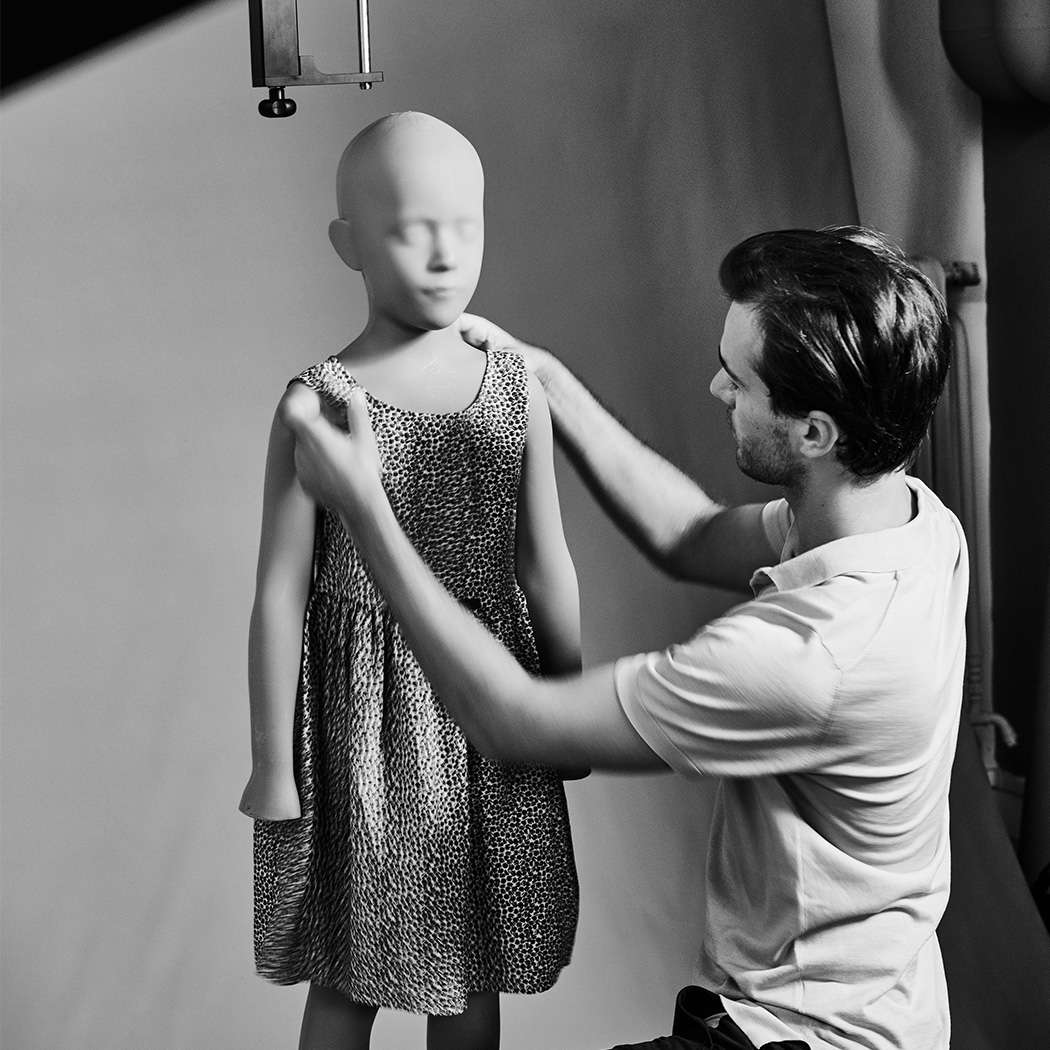



In today’s competitive e-commerce landscape, fashion brands are under growing pressure to deliver high-quality product imagery quickly – and at scale. With shrinking budgets and rising consumer expectations, the traditional on-figure photoshoot model often creates friction, delays, and added costs.
As retailers look to optimize their production pipelines for speed and ROI, automated image creation is no longer a nice-to-have – it’s a strategic advantage. Looklet is built to meet that need, delivering scalable, high-quality product images without compromising creative control.
Looklet is a powerful ecosystem of software and hardware designed to automate, standardize, scale and add flexibility to apparel image production and styling.
Instead of relying on multiple disconnected tools and high-cost resources, Looklet is an integrated set of hardware and applications that provide visibility, automation, and creative flexibility from start to finish for the e-commerce apparel industry.
Looklet also supports accessory categories, like handbags, to enhance final styled look images and provide scale.
The Looklet Core Solutions consist of:
Additional Products:
Together, these tools help fashion brands and retailers create and publish compelling product visuals for apparel Product Description Pages (PDP’s). The Looklet process allows for fewer resources, better quality control, and faster turnaround times across the production workflow.

Item Creator is the first stop in the Looklet workflow and functions as the control center for your studio. It’s where your team styles individual garments on mannequins, captures images using Looklet’s automated camera system, and allows for reviews of each shot in real time.
Looklet’s advanced software automates retouching and image processing while also allowing specific notes to be sent with the images directly to human quality control. Request retouches, or flag styling tweaks to ensure final images match your creative needs.
Item Creator ensures that styling intent is preserved—and that final images meet brand standards before moving to post-production. You can capture multiple image types, including front/back views, ghost imagery, and fabric detail.

Item Reviewer is your live monitoring dashboard for what’s happening in the studio. You can track image capture in real time, catch styling issues early, and manage feedback loops between studio and merchandising teams.
In addition to monitoring, it also shows live exports from Look Creator, allowing for quick intervention if there are inconsistencies in size, padding, cropping, or naming conventions. This tool is especially powerful for studio managers, production leads, and creative teams who need central visibility across multiple workflows.

Once item images are ready, Look Creator allows teams to digitally build styled looks using garments already shot in the studio. Apply consistent crops, poses, body types, and scenes based on pre-approved templates. This allows brands to maintain creative integrity while optimizing for production speed.
Look Creator also supports “Shop The Look” workflows—ideal for increasing PDP (product detail page) engagement and offering cross-sell opportunities with mix-and-match styling. Also available are integrations to flag out-of-stock items so images online show always in-stock items helping increase turn-over and revenue potential.

The Client Dashboard delivers data transparency and actionable reporting. Track total items shot, image types produced (ghost, on-model, detail), and even hour-by-hour or day-by-day studio output. You can filter performance by studio, category, or even image pose.
This tool is invaluable for stakeholders looking to tie production activity back to business KPIs, optimize workflows, and identify bottlenecks over time.

A typical Looklet-powered production day might look like this:
This approach eliminates back-and-forth reshoots, reduces reliance on expensive model casting, and accelerates time-to-market.
The Looklet Dressing Room is a photorealistic virtual dressing room, enabling your customers to try on any garment in your online store from the comfort of their own homes. The Looklet Dressing room uses items from your Look Creator. Your online customers can access and mix-and-match outfits themselves and get inspired!
To read more about The Looklet Dressing Room click here.
To try the Looklet Dressing Demo click here.
If you’re considering a transition to automated imagery, here are some helpful prompts to guide internal discussions:
Already using Looklet? Here are a few tips to get the most out of your studio workflows:
Automated image production isn’t just about speed—it’s about creating a smarter, more resilient production workflow. Looklet Enterprise empowers fashion retailers to scale imagery, reduce costs, and maintain full creative control.
Whether you’re trying to cut costs, reduce reshoots, or improve styling flexibility, Looklet offers a future-ready solution for content creation.
AI Looklet & Fashion Imagery Glossary
Read the full blog post
3 Ways Retailers Can Improve Customer Experience for E-Commerce
Read the full blog post
Always On, Never Late: Staying Ahead of the Fashion Calendar with Looklet
Read the full blog post
 Bringing Images to Life: AI-Powered Video and Movement In Fashion Imagery