How to Choose an AI Fashion Imagery Platform: A Buyer’s Guide for Merchandising Teams
Published byEmma Campbell/October 8, 2026
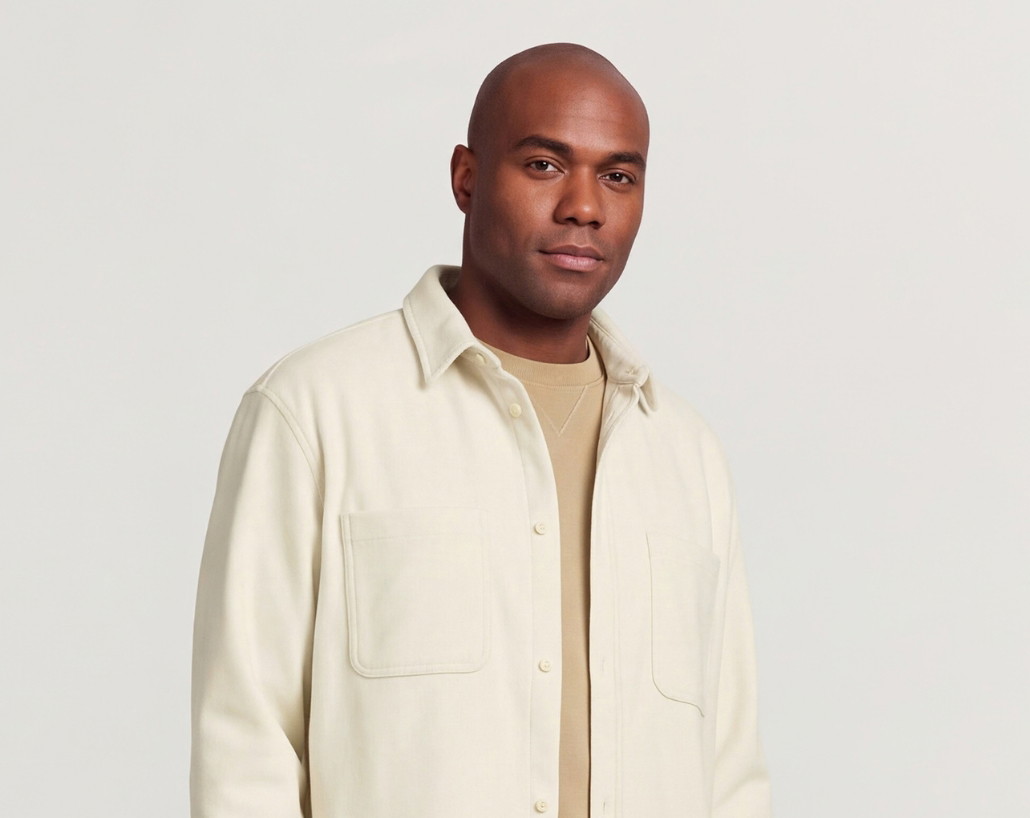



To choose an AI fashion imagery platform, assess three things:
Most merchandising teams now know AI can produce on-model imagery faster and cheaper than a studio shoot. The harder question is which platform to trust with a live catalog. This guide gives you the questions to ask, the tests to run and the trade-offs to weigh, so you can compare options on evidence rather than sample images.
General-purpose image generators are built to produce images that look right. Fashion e-commerce needs images that are right: the same neckline, fabric, color and fit as the garment in the box.
That gap shows up in three places. Accuracy slips on details like sheer panels, sequins or hem length, which drives returns. Consistency breaks down across hundreds of SKUs, which weakens the brand on the product listing page. And the workflow often sits outside the team’s existing process, so time saved in generation is lost in manual styling, review and re-export.
A fashion-specific platform should solve all three. The sections below show how to test for each.

An AI fashion imagery platform should remove steps from your process, not add new ones. Start by mapping your current flow from sample arrival to live product page, then ask where the platform plugs in.
Questions to ask vendors:
What good looks like: Your team uploads existing product images, styles looks with templates, and exports site-ready files the same or next day, with no photographer, model or hair and makeup booking.
In fashion, image quality means accuracy first and aesthetics second. A beautiful image that changes a neckline or shifts a color is a returns problem, not an asset.
What to test with your own products:
Ask how errors are caught. AI output is not fully predictable, so the key question is what happens before an image is exported. Does the platform generate several options to choose from? Is there a human quality-control step, and how fast is the turnaround on fixes? A platform that relies on AI alone leaves accuracy to chance.
What good looks like: Multiple options per look, a built-in quality check that refines details before export, and consistent results on your hardest categories, not just simple basics

Scale is where many AI tools break. Generating 20 good images is easy; producing hundreds a day, every day, at the same quality is not.
Questions to ask vendors:
What it looks like in practice: With Looklet, teams export around 500 on-model images a day, compared with about 60 from a traditional on-model shoot. Clients report going live up to 88% faster and cutting production costs by 40–50% versus on-model photography. Holt Renfrew has created more than 90,000 images with Looklet and reduced turnaround time by 54%. Stockmann has cut turnaround by 60%.
“With Looklet, our daily production is far higher, and it’s more cost-effective than live model shoots.” — Suzi Staheli, Photography Manager, Holt Renfrew
Beyond the three core criteria, two questions protect you from risk later.
Is AI content labeled? AI disclosure rules are tightening across markets. Ask whether every image carries C2PA metadata, the emerging standard for certifying AI-generated content, and whether metadata supports AI disclaimers on your product pages. Looklet includes C2PA metadata on every image you download.
Are model rights cleared? Ask where the models come from, what usage terms apply, and whether you can create exclusive models that only your brand uses. Looklet offers a library of real digitized models alongside AI-generated models, with the option to build exclusive models tailored to your brand.
Use this scorecard to compare vendors side by side. Score each one with your own products, not vendor samples.
| What to assess | Warning sign | What to look for |
|---|---|---|
| Inputs | Needs new or specially shot images | Works from ghost mannequin, flat lay, hanger or vendor images |
| Styling | Manual, one look at a time | Templates and mix-and-match styling |
| Garment accuracy | AI output only, no review step | Multiple options plus human quality control before export |
| Daily volume | Strong demos, no throughput data | Hundreds of export-ready images per day |
| Category range | One or two body types | Womenswear, menswear, plus, big and tall, maternity, kids |
| Reuse | Reshoot for every change | Background swaps, restyles and marketplace versions |
| Compliance | No AI labeling disclosed | C2PA metadata on every image |
| Track record | No enterprise case studies | Named enterprise clients with measured results |

A short, structured pilot tells you more than any demo. Keep it small, but make it hard.
What is AI fashion imagery? AI fashion imagery is on-model product photography generated by AI from existing product images, such as ghost mannequin or flat lay shots. It replaces or reduces physical photoshoots with models, so retailers can publish on-model images faster and at lower cost.
What is ghost to model? Ghost to model is a workflow that turns ghost mannequin product images into photorealistic on-model images. Retailers upload front and back product shots, choose a model and styling, and export finished images without a studio shoot.
How do I know if AI-generated fashion images are accurate enough to sell? Compare the output against the physical garment for structure, fabric texture, color and styling items. Choose a platform with a quality-control step before export, so errors are caught before they reach the product page.
How many images can an AI fashion imagery platform produce per day? It depends on the platform and setup. Fashion-specific platforms like Looklet support around 500 exported item images a day, compared with about 60 from a traditional on-model shoot.
Do AI-generated product images need to be labeled? AI disclosure requirements are growing across markets. Platforms that add C2PA metadata to every image make it easier to identify AI content and add disclaimers to product pages.
The best AI fashion imagery platform is not the one with the most striking demo. It is the one that fits your workflow, stays true to every garment and holds quality at full-catalog volume. Test all three with your own products before you commit.
For more on where the market is heading, read our take on McKinsey’s State of Fashion 2026 and why AI adoption is accelerating across fashion e-commerce. If video is on your roadmap, see how AI video lifts PDP performance.

The importance of data in e-commerce photography
Read the full blog post
How Tech can help Fashion Retailers overcome rising costs
Read the full blog post
Retail Innovators | From tactical to strategic with Clair Carter-Ginn
Read the full blog post